Help & Support
This guide helps you diagnose and resolve common issues with Sparrow Community Edition on Azure.
Ensure Required Ports Are Open
Make sure the following ports are open in your Azure VM's networking settings:
| Port | Purpose | Protocol |
|---|---|---|
| 22 | SSH | TCP |
| 80 | HTTP (Nginx) | TCP |
| 443 | HTTPS (SSL via Certbot) | TCP |
To open port 443:
- Go to Azure Portal → Your VM → Networking
- Click Add inbound port rule
- Set the following:
| Field | Value |
|---|---|
| Port | 443 |
| Protocol | TCP |
| Action | Allow |
| Source | Any |
| Priority | 1000 |
| Name | Allow-443 |
Check Sparrow & Dependencies
note
Sparrow auto-starts on system boot.
If services aren’t running as expected, check their status:
Sparrow API Service
systemctl status sparrow-api.service
Kafka Service
systemctl status kafka
To check logs (as root):
sudo su
cd /home/kafka/kafka-logs
MongoDB Service
systemctl status mongod
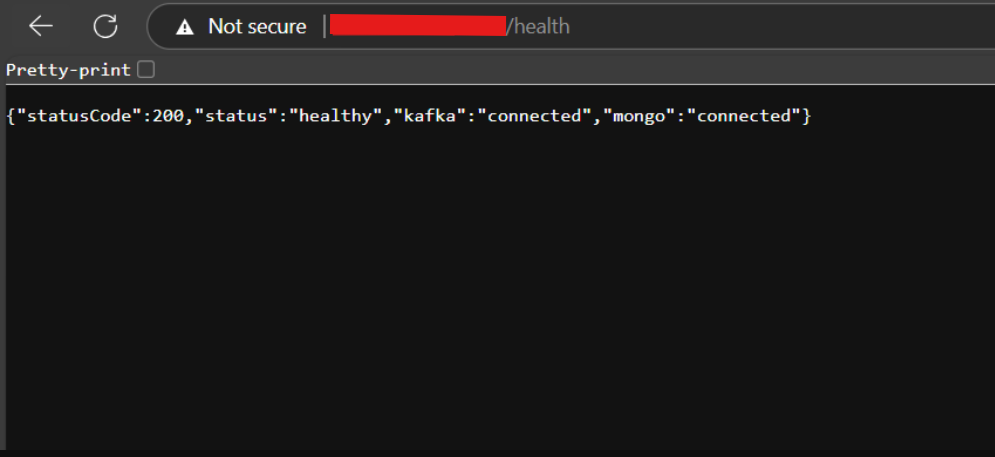
Verify Health Check
-
Once all services are up and ports are correctly configured, your Sparrow instance should be operational.
-
Check the health endpoint in your browser:
https://YOUR_DOMAIN_NAME/health